5.5 hours a week
People in a PlanGrid and FMI survey said they spend about five and a half hours a week hunting for project data, such as revised drawings.
PlanGrid and FMI survey, as reprinted by PHCP Pros (2018)DRAWING REVISION CHECKS
Find and review drawing changes, including changes outside revision clouds. One list to assign, decide and sign off. An engineer confirms each impact.
Sheetshift · drawing revisions, checked
Find and review drawing changes, including changes outside revision clouds. Upload the old and new set; Sheetshift AI explains each change in plain words and gives your team one list to assign, decide and sign off.
7 sheets · 46 changes · 13 clouds foundfrom the Gardner River High Bridge case study
Opening the sheet
Values: SureCoverage: Complete
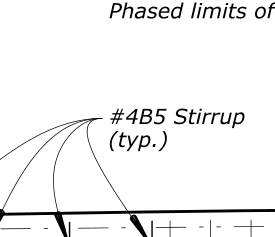
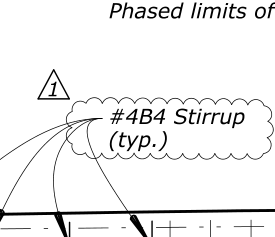
The stirrup bar mark changed from #4B5 to #4B4 under revision 1.
S-01 Workspace
Review · Gardner River High Bridge
Open the tourS-02 The problem
5.5 hours a week
People in a PlanGrid and FMI survey said they spend about five and a half hours a week hunting for project data, such as revised drawings.
PlanGrid and FMI survey, as reprinted by PHCP Pros (2018)796 questions, $1,080 each
On the average project in Navigant's study there were 796 questions to the designer (RFIs), each costing about $1,080 to answer.
Most of the projects in the study are in Australia and New Zealand.
Navigant Construction Forum, hosted by CMAA (2013)Six floors, then 12, then 15
At Ikoyi in Lagos, the structural engineers' institute said the building was designed for six floors, then 12, then 15, and that the engineering and management of those changes looked seriously inadequate. Officials gave different answers on how many floors were approved.
No source says a missed revision caused the collapse, and we do not say so.
ThisDay, quoting the institute's president (2021)The date in the title box
A concrete contractors' guide says that in many cases the only way to tell whether design drawings have been updated is to check the dates in the title boxes.
ASCC, The Voice newsletter (2022)0.38% to 12%
Estimates of rework range from 0.38% of contract value, measured at one contractor, to more than 12% on industrial projects. Studies count different things, so there is no single number.
The 12% figure is from a 1989 study of industrial projects.
ASCE Civil Engineering Source (measured) and the Construction Industry Institute (industrial projects) (1989)S-03 How it works
01
Upload the old and the new drawing set as PDFs. Sheetshift tells you what it found: pages, sheets and the title box on each.
71 old sheets and 74 new sheets checked
02
Each new sheet is matched to its old version, also when it was renamed. New sheets and dropped sheets are listed.
7 pairs made, 64 old sheets not re-issued
03
Lines, shapes and words are compared on each pair. Sheetshift AI writes what changed in plain words and says which work packages it may affect.
46 changes found, 12 design changes outside every cloud found
04
One change list: assign, decide, ask the designer, and let an engineer sign off. Export it or share a link.
7 changes ranked Check first
S-04 Core features
Stage 1 of 5
Upload both sets and get them paired.
Checks both uploads: drawn or scanned, page sizes, sheet count, title box found.
Pairs old and new sheets, also renamed or renumbered ones, and lists new and dropped sheets.
 D.3
D.3
 F.3
F.3
 S.2
S.2Stage 2 of 5
Changes in lines, shapes and words, marked or not.
Changes in lines, shapes and words, named by what they are: beam, column, slab edge, note.
Reads the designer's clouds and tags. Flags design changes nobody marked and clouds with nothing found.
What the revision table says changed, against what did.
Details and sections on other sheets that may now be out of step.
Stage 3 of 5
Plain words, with the work it may touch.
One or two plain sentences per change, with the old and new values.
Which of your work packages a change may affect, why, and what to re-check.
The review queue, most important first.
Values: SureCoverage: Complete
The stirrup bar mark changed from #4B5 to #4B4 under revision 1.
May affect Reinforcement: The stirrup bar mark changed from #4B5 to #4B4.
Re-check: Check the bar bending schedules and order lists for the correct stirrup mark.
Sheetshift AI suggests. Needs an engineer's confirmation.
Stage 4 of 5
Look, assign, decide, sign off.
Fade, swipe, side by side, colour overlay, blink. Jump from change to change.
Suggests the responsible team for each change. One click to accept.
Accept, ask the designer, needs an engineer, no effect, false alarm. Who, when and why.
Only a person with the Engineer role can confirm an impact.
A question to the designer with the crops and values attached.
Decision
Only an Engineer confirms an impact.
Stage 5 of 5
One list for the whole team.
One list: export to Excel, CSV and PDF with crops, and share a read-only link.
One page for each revision, and one short brief for each team.
Ask a question about this revision and get an answer with change numbers.
Learns from your false alarms. Groups look-alikes and never hides them.
S-05 Cloud Check
A designer clouds what they changed. Sheetshift reads the cloud, then sorts the design changes it finds into three lists.
Counted on Gardner River High Bridge. Listed apart, not counted as design changes: 5 revision records, 12 designer marks, 47 plotting-noise differences. A person judges each one from the crops below.
Found outside every cloud, with the crops
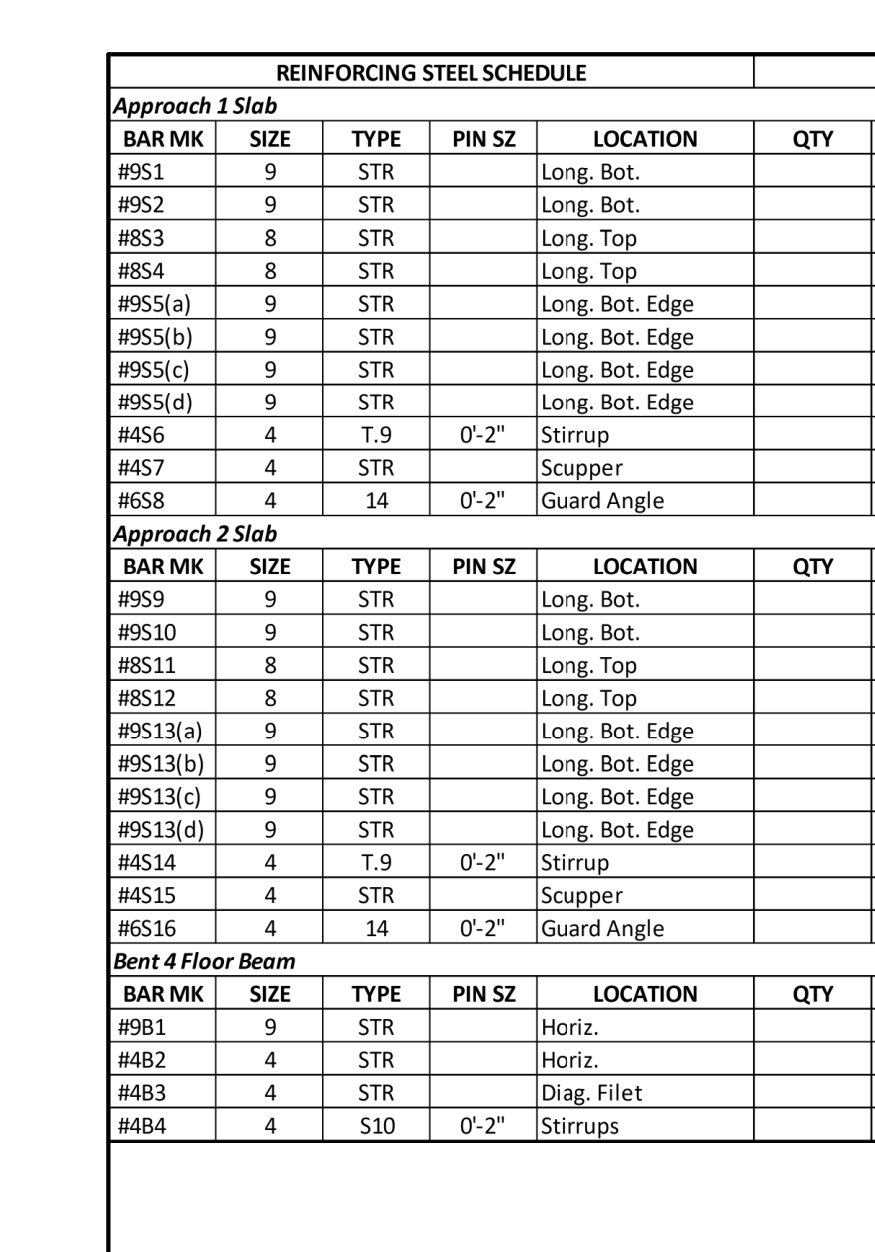
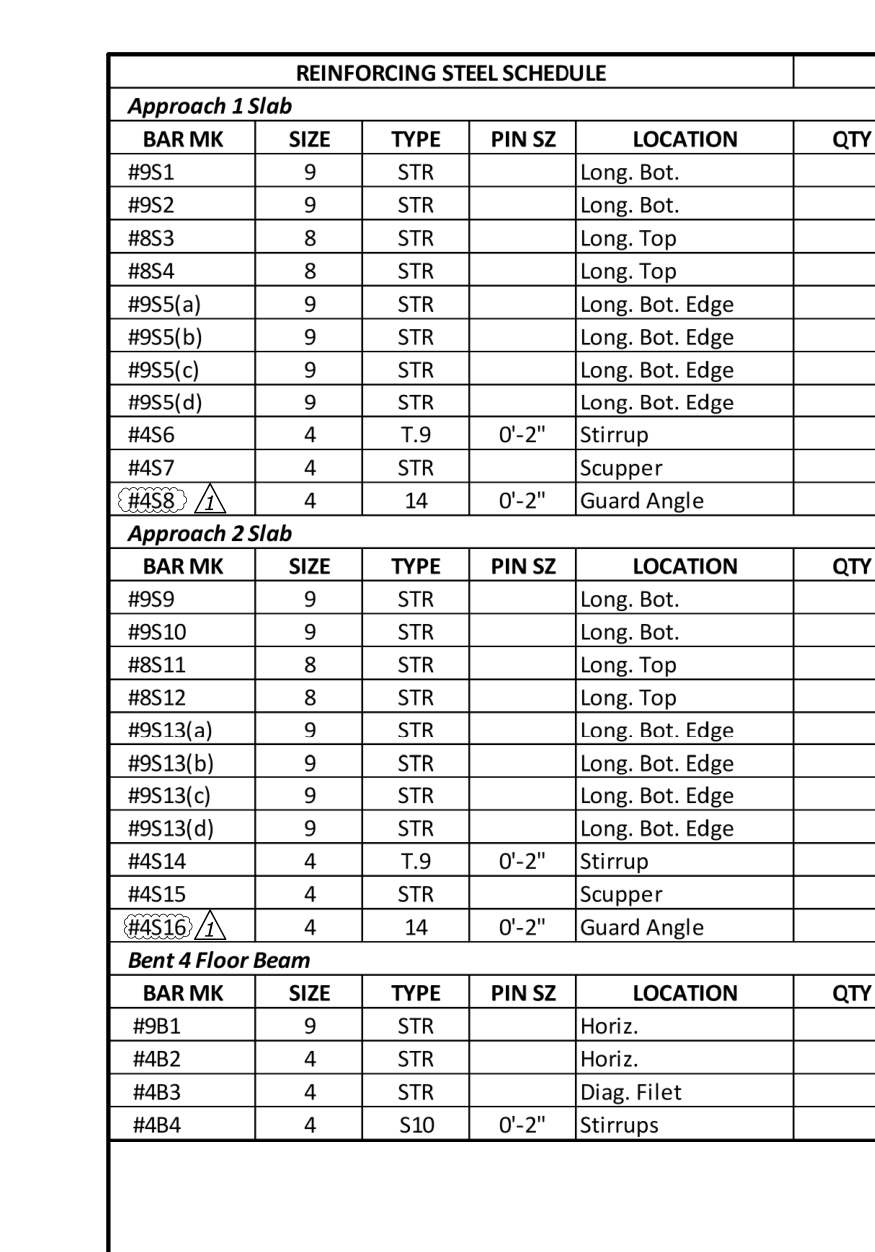
C-061 · Bar marks #6S8 and #6S16 were changed to #4S8 and #4S16 respectively, with revision 1 tags added.
S-06 How Sheetshift AI works
Sheetshift AI
Reads the title boxes, the clouds and the before and after of each change. Writes the note, ranks what to check first and drafts the question to the designer.
Code
Lines up the sheets, finds the differences, and checks each number the AI writes against the sheet. If a value is not on the sheet, the note is not shown.
An engineer
Every impact stays may affect until a person with the Engineer role confirms it. The AI never states cost, schedule or safety.
S-07 Case studies
Bid plans against Amendment 3
15 sheets paired, 106 changes found, Mount Rainier National Park, Washington.
The Federal Highway Administration and the National Park Service are not Sheetshift customers and did not take part. These are public bid drawings prepared by the US Government, which carry no copyright, run through Sheetshift for transparency.
Read the case studyBid plans against Amendment 1
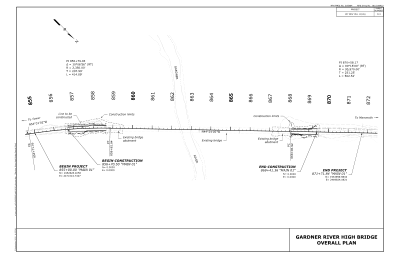
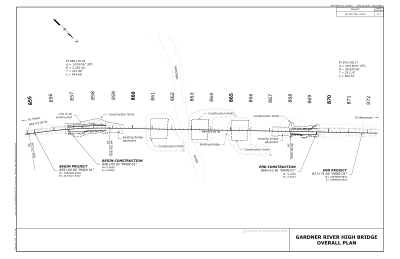
7 sheets paired, 46 changes found, Yellowstone National Park, Wyoming.
The Federal Highway Administration and the National Park Service are not Sheetshift customers and did not take part. These are public bid drawings prepared by the US Government, which carry no copyright, run through Sheetshift for transparency.
Read the case studyS-08 Measured accuracy
420 edits planted on 56 real sheets, in 2 ways of drawing the same sheet. This is a test we run on ourselves, not a measure of real revisions.
Three measures, shown apart
| How the sheet is drawn | Found, out of planted | False alarms per sheet |
|---|---|---|
| Same plot | 196 of 210 (93%) | 0.5 |
| Sheet shifted on the page | 199 of 210 (95%) | 0.5 |
The architect or engineer wrote down what changed. Each written item is matched to the changes Sheetshift found. Matched by Sheetshift, not yet checked by a person.
Not measured yet, so not claimed: Check First, Package Links and Team Routing against an answer key, and runs on very large sets.
S-09 Who it's for
The morning a bulletin lands
A revised sheet reaches the site team late, or a change inside it is never seen, and the work is built from the old version.
Before the rebar order goes out
You fabricate or install from a sheet that has quietly changed, and acting on a change without a record can cost you the right to claim.
When the client asks what changed
You must show what changed, who reviewed it and what was decided, and the answer is spread across emails and marked-up PDFs.
The Monday review of open changes
Nobody can say which changes are still open, who owns them, or whether the designer was asked.
S-09.1 Where it fits
Lay the old sheet over the new one in colour, so you see where the ink differs. You still write the list of what changed.
AI tools inside a wider construction platform, with the review of drawing changes as one tool among several.
Finds and explains the changes between two issued PDF sets, then keeps a review register: each change with an owner, a decision and an engineer's sign-off.
Read from the public product and pricing pages of each kind of tool.
S-10 Trust and data
Files and the change list belong to the project you uploaded them to. Only people you add can open them.
Sheetshift AI reads your sheets to answer for your project. Nothing you upload is used to train any AI.
Delete a project and its files, crops and change list go with it.
Owner, Engineer, Reviewer and Viewer. Only an Engineer can confirm an impact. Viewers can read and cannot change anything.
S-11 Pricing
₦0
once
₦30,000
about $21, a month, per active project
₦100,000
about $71, a month
From ₦350,000
about $248, a month
S-12 Questions
A change outside every revision cloud. The cloud is the wavy outline a designer draws around what they changed. Sheetshift lists the changes it finds inside a cloud, partly inside, and outside. A design change outside every cloud is one nobody marked. Revision-table rows and the clouds themselves are listed apart.
No. Sheetshift AI finds and explains changes and says which work packages they may affect. It never states cost, schedule or safety. Only a person with the Engineer role can confirm an impact in the app.
PDFs exported from drawing software, and scanned PDFs on one side. Sheetshift checks both sets when you upload them and tells you what it found: pages, sheets and whether the title box was found. A scanned sheet is marked as checked by picture only.
It reads the sheet number in the title box. If the number is drawn as lines, Sheetshift AI reads the title box picture. If a sheet was renamed or renumbered, it proposes a pair and asks you to confirm it before it looks for changes.
Every number, size and label in a note must appear on the sheet. If one does not, the note is written again once. If it still fails, the app shows the old and new words as they are on the sheet instead of a note.
A project with at least one comparison in the month. A project you do not compare in that month costs nothing for that month. Reviewers are unlimited on every project.
No. Your drawings and your change list stay in your project and are never used to train any model. They are deleted when you delete the project.
It says so, with two labels. Values (Sure, Fairly sure or Check this) says whether the old and new words and numbers were read right. Coverage (Complete, Partial or Not checked) says whether everything that differs inside the change is explained. A list of what was not checked, such as a sheet it could not line up, comes with each comparison.
S-13 Start
Upload the old and the new set. The first comparison is free, up to 30 sheet pairs.
Questions? Write to hello@sheetshift.ai